




Find something you love.
Choose a video, a podcast, or your own reading material. Start with curiosity.
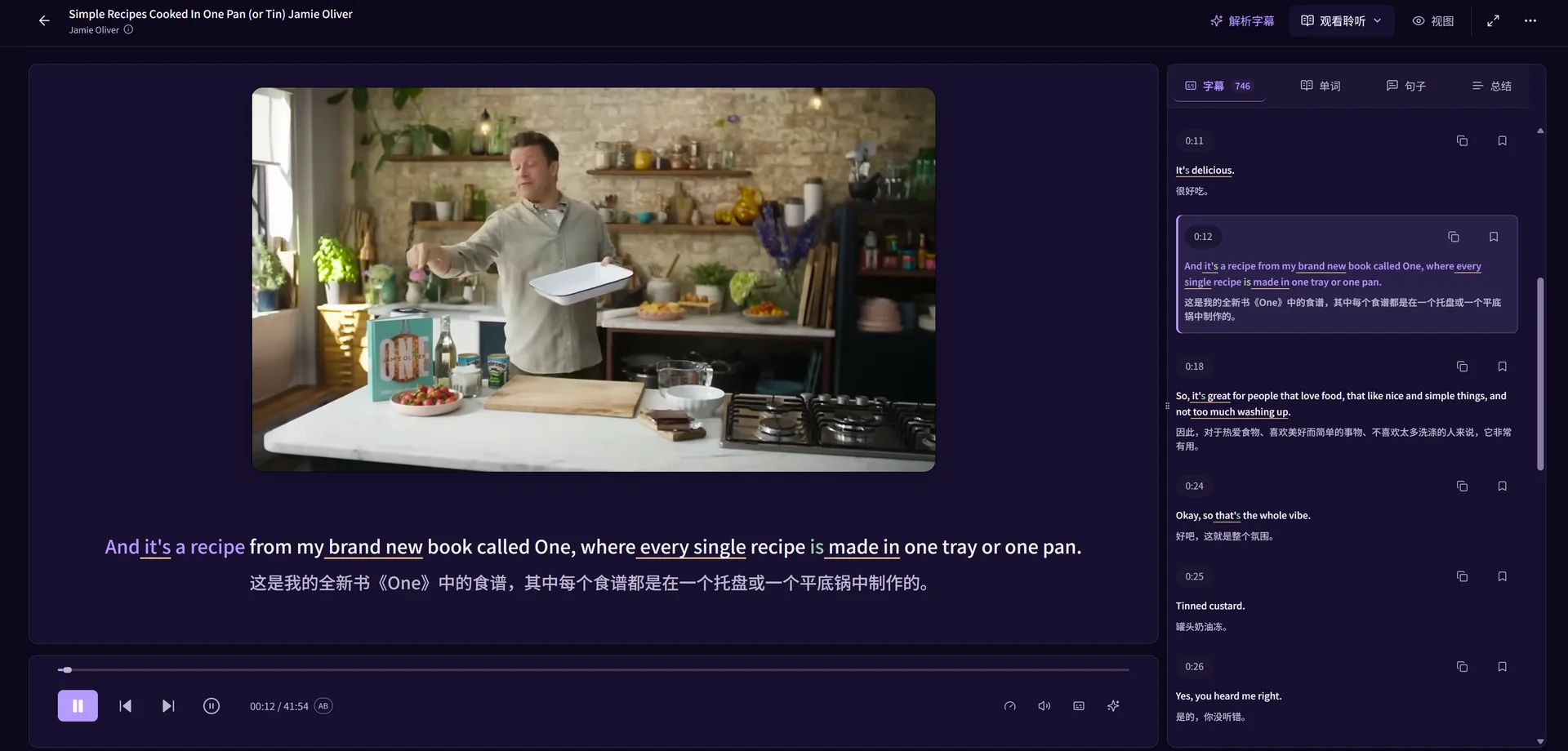
Watch videos, listen to podcasts, and read original texts. Understand words in context, practise with pronunciation feedback, and revisit expressions with their original source.
A world of content. Your way to learn.
The story keeps moving. Your learning should, too. Everything you need to understand, practise and remember, right where you found it.
A sentence gives a word a place to belong. Keep them together.
See how it worksOne continuous journey. From a moment of curiosity to something you remember.
Choose a video, a podcast, or your own reading material. Start with curiosity.
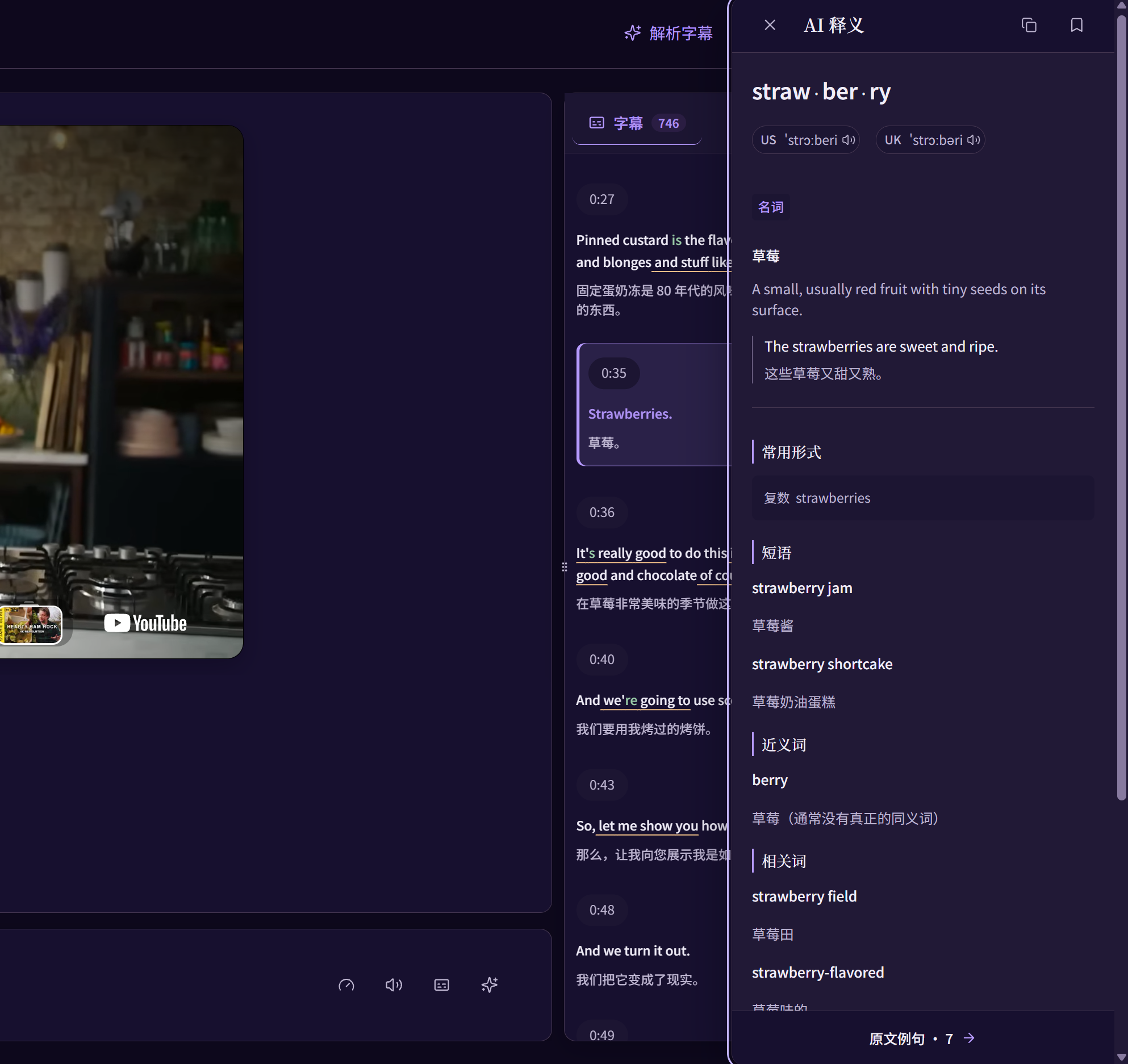
Look up words and explore sentences while the original content stays close.
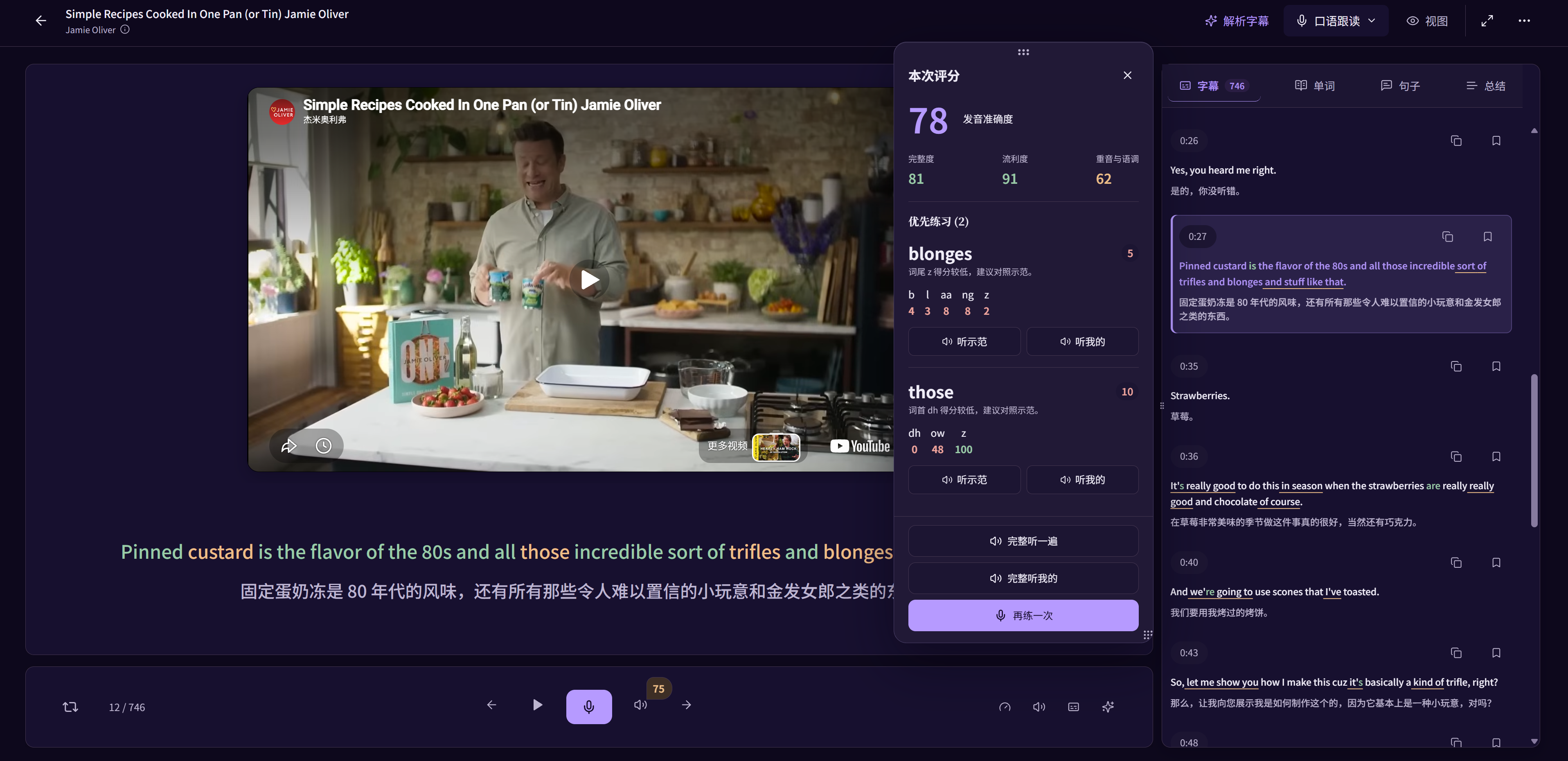
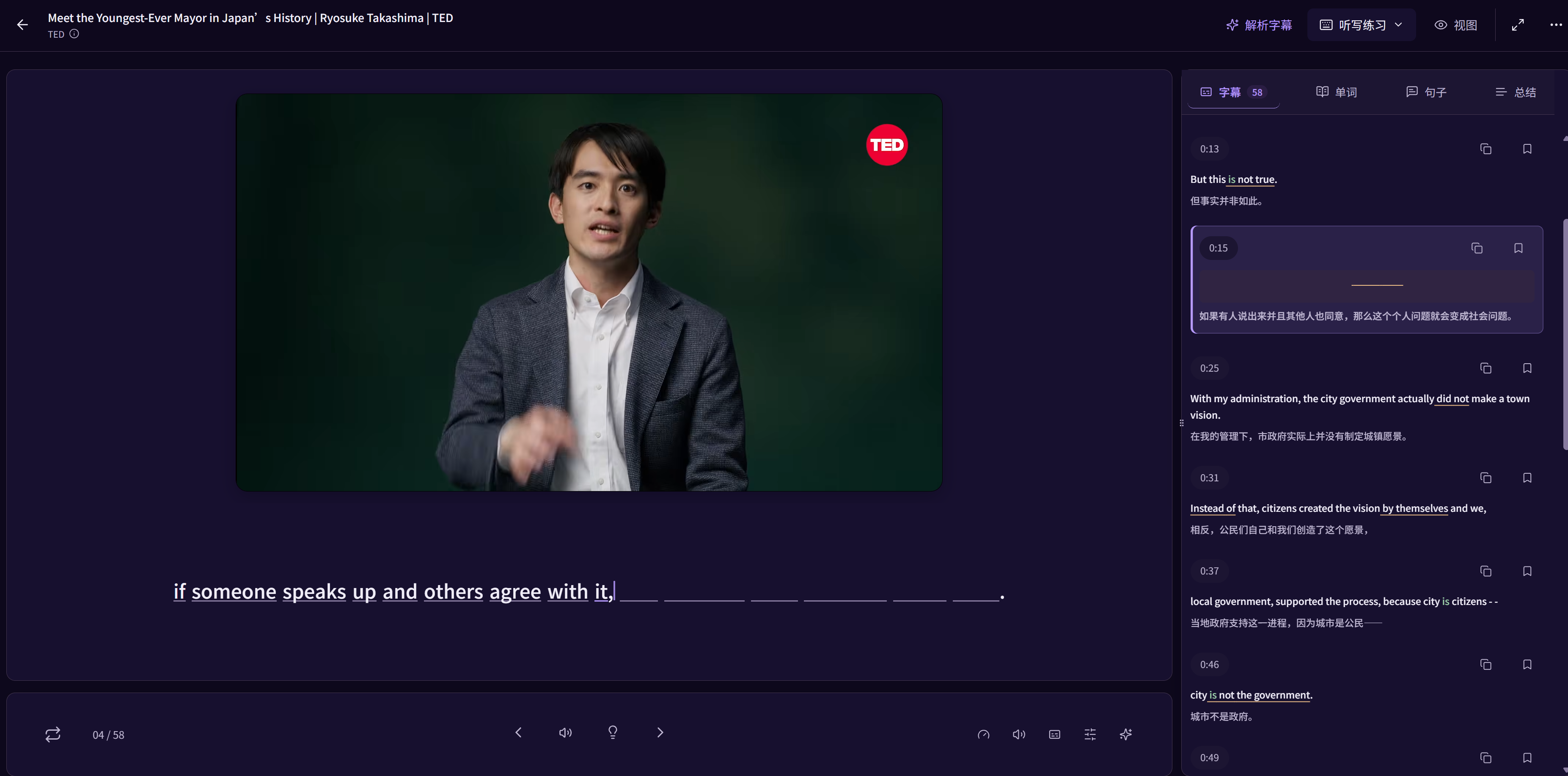
Practise dictation and shadowing. Compare sounds, explore pronunciation feedback, and review the session.
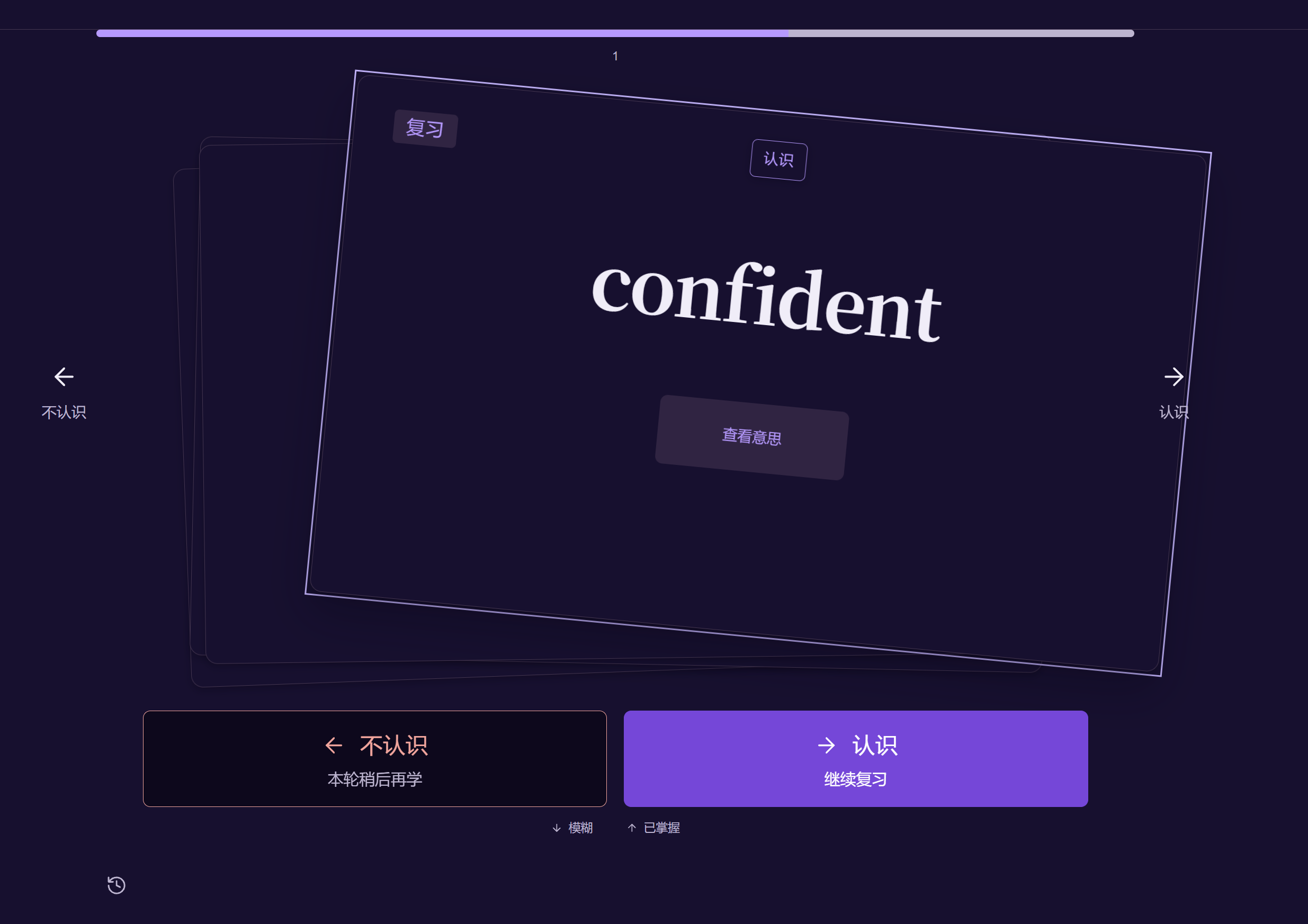
Save words and sentences with their source and your own notes. Keep learning with vocabulary review.
Stay with one sentence. Listen closely, speak, and reflect. Focus on the words that need practice.

A word in a video. A phrase in a podcast. A line you marked in a book. Bring it back with everything that made it meaningful.
FSRS-powered vocabulary reviewYour vocabulary review schedule follows your learning history.
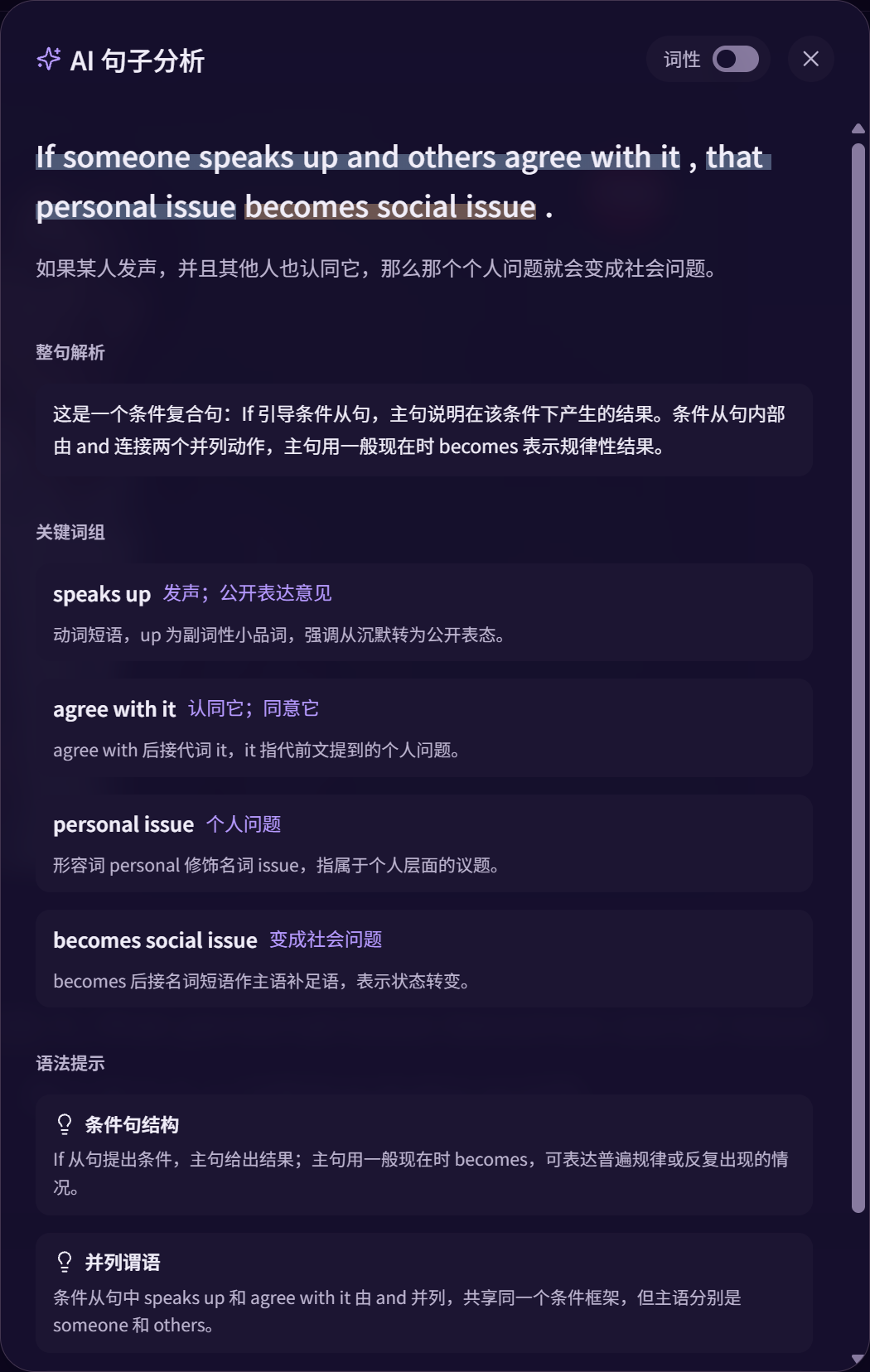
Get the bigger picture. Look closer at a word. Untangle a sentence. Find a pace that feels like yours.
AI summaries · Vocabulary insights · Sentence analysis · Playback speed
Keep your attention on the content, and the learning connected.
 a lasting differenceA change that continues over time.
The expression, its meaning and its original context. Together.

Explore videos and podcasts, or import EPUB, PDF and TXT reading materials. Available subtitles and learning tools depend on the content and selected language pair.
Supported practice can show word and phoneme feedback. Compare example speech, available source audio and your recording, then review the sentences you practised. Scoring dimensions depend on language and account access.
Words and sentences can retain their original context. You can add notes and, where the source is available, return to the corresponding sentence or playback position.
LearnBit uses FSRS to schedule vocabulary review from learning history. Card interactions help you record your familiarity. Sentence practice and a round of cards are not the same as the long-term vocabulary schedule.
Choose your learning language and native language inside the app. Tools depend on that language pair. The website language is separate from these learning settings.
Choose Start learning to continue. An active session opens your learning home; otherwise LearnBit asks you to sign in. Features and usage limits follow your account’s current access.
A video. A chapter. A conversation. See where it takes you.
Start learning